
The Founder's Guide to Mobile App Pentesting for Indian Startups
By Rex Cyber Solutions
Your mobile app is almost ready to launch. Or an enterprise prospect has asked for a recent VAPT report before signing. You now need to decide what should be tested, how much time to allow and whether the quote in front of you covers the risks that matter.
The most useful starting point is the product itself: the Android or iOS app, the APIs behind it and the business actions users can perform. A mobile app penetration test should give your team evidence about weaknesses within an agreed scope, practical fixes and a way to verify those fixes before you rely on the results.
This guide helps founders, CTOs and engineering leads scope an assessment, prepare their team and compare providers without treating a scanner report as the entire engagement.
In this article
1. What mobile app pentesting actually involves
2. What your mobile VAPT scope should cover
3. How to plan testing around your launch
4. What a useful pentest report should contain
5. How to compare cost and choose a provider
6. Seven questions to answer before requesting a quote
7. Frequently asked questions
8. Get a mobile app pentesting quote from Rex
1. What mobile app pentesting actually involves
A mobile app pentest is an authorised security assessment that examines how weaknesses could affect your app, users and connected services. The team agrees what can be tested and then combines technical checks with manual investigation to validate findings and assess their impact.
VAPT means vulnerability assessment and penetration testing. Assessment identifies potential weaknesses; penetration testing investigates whether and how relevant weaknesses can be exploited within the agreed boundaries. Providers may use the terms differently, so ask what activities and evidence are included.
You may also encounter terms such as pen testing, pen test or penetration assessment. Labels such as intrusion testing, penetration hacking or pentest testing are less precise. Choose the engagement by its scope, method and deliverables rather than the wording on the proposal.
Why a scan alone leaves important questions open
Consider a delivery app where a signed-in customer can view another customer’s order details. The issue may sit in a backend permission check even though the mobile screen hides those records. Reviewing the intended workflow, testing different roles and validating server-side decisions can reveal problems that a simple automated scan may miss. This is an illustrative example, not a reported customer incident.
Ask the provider to explain its manual testing approach and how it confirms business impact. Tools are useful, but a list of tool alerts does not tell your developers which findings are valid or how an attacker could affect the product.
Need to understand what an assessment would cover for your app? Explore Rex’s mobile application penetration testing services
2. What your mobile VAPT scope should cover
Avoid accepting “one mobile app” as the entire scope description. Define the platforms, builds, accounts, environments and connected services. Two apps that share a backend can still have different storage, platform and runtime behaviours.
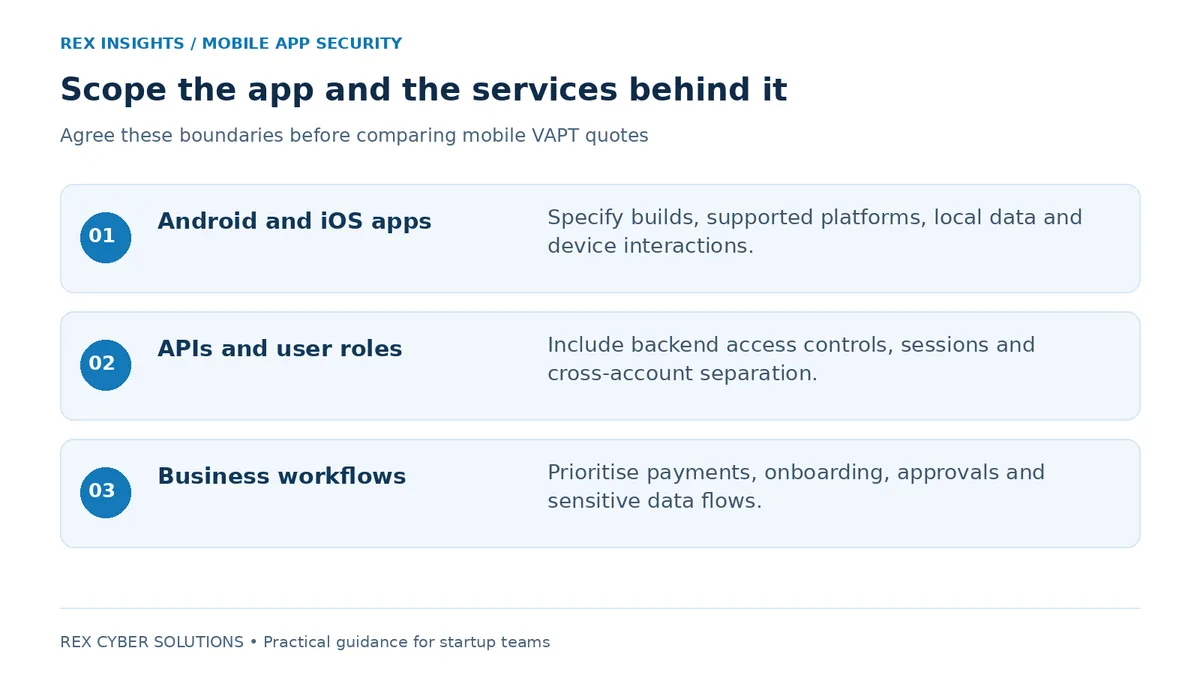
A starting point for scoping. Confirm exclusions, third-party boundaries and the depth of backend testing in writing.
2.1 Information stored on the device
Ask how the assessment will examine sensitive information stored or exposed on the device, including credentials, tokens, cached content and logs. Identify the information your app handles so that testers can distinguish an inconvenient leak from one that exposes customer records or account access.
2.2 Login and account sessions
Include signup, login, account recovery, logout and session handling. Explain how customer, support and administrator accounts differ. Where the app uses OTPs or external identity services, agree which parts your team owns and which parts are outside the engagement.
2.3 APIs and permissions
Explicitly include relevant backend APIs and authorisation checks. Ask whether testing will cover separation between users, organisations and roles. A hidden screen or disabled button is not evidence that the server will reject an unauthorised action.
2.4 Platform behaviour and communications
Include relevant Android and iOS platform interactions, network communications and third-party components. Discuss deep links, embedded web content and permissions where your app uses them. If runtime protections restrict testing, agree how the provider will assess the production behaviour and any special test build without confusing the two.
2.5 Business actions that could cause loss
Walk testers through flows such as payments, refunds, subscriptions, referral rewards, approvals and document downloads. Explain the rules that must always hold. For example, a payment status should follow a trusted backend decision, and an approval should require the correct role. These product-specific rules deserve explicit attention in the scope.
OWASP’s Mobile Application Security Verification Standard, or MASVS, provides a mobile security control framework. Its Mobile Application Security Testing Guide, or MASTG, describes testing techniques. Ask your provider to identify the relevant coverage, versions and exclusions. Backend API testing also needs an explicit scope; referencing a mobile standard alone does not define it.
3. How to plan testing around your launch
Start scoping before the release deadline becomes urgent. Agree a sufficiently stable build and environment, then allow time for testing, engineering fixes and retesting. A report arriving on launch day leaves little room to act on what it finds.
Choose access that matches the question
Black-box testing starts with limited knowledge. Grey-box testing supplies selected information, working accounts and relevant context. White-box testing can include source code and deeper architectural access. For a startup preparing for launch, consider whether authenticated access and technical context would help the team spend more time on meaningful coverage. Confirm source review separately instead of assuming it is included.
Prepare the test environment
Provide installable builds, representative test data, accounts for each relevant role and a contact who can resolve access problems. Use at least two test accounts where cross-account separation is in scope. Make sure testers can complete OTP, subscription or approval flows without being blocked by missing setup.
Agree the permitted systems, testing window, escalation contact and handling of test data. Identify third-party services that require separate authorisation. Where production testing is necessary, define operational limits and stop conditions with the provider. A staging environment should reflect the security-relevant production configuration, with differences documented.
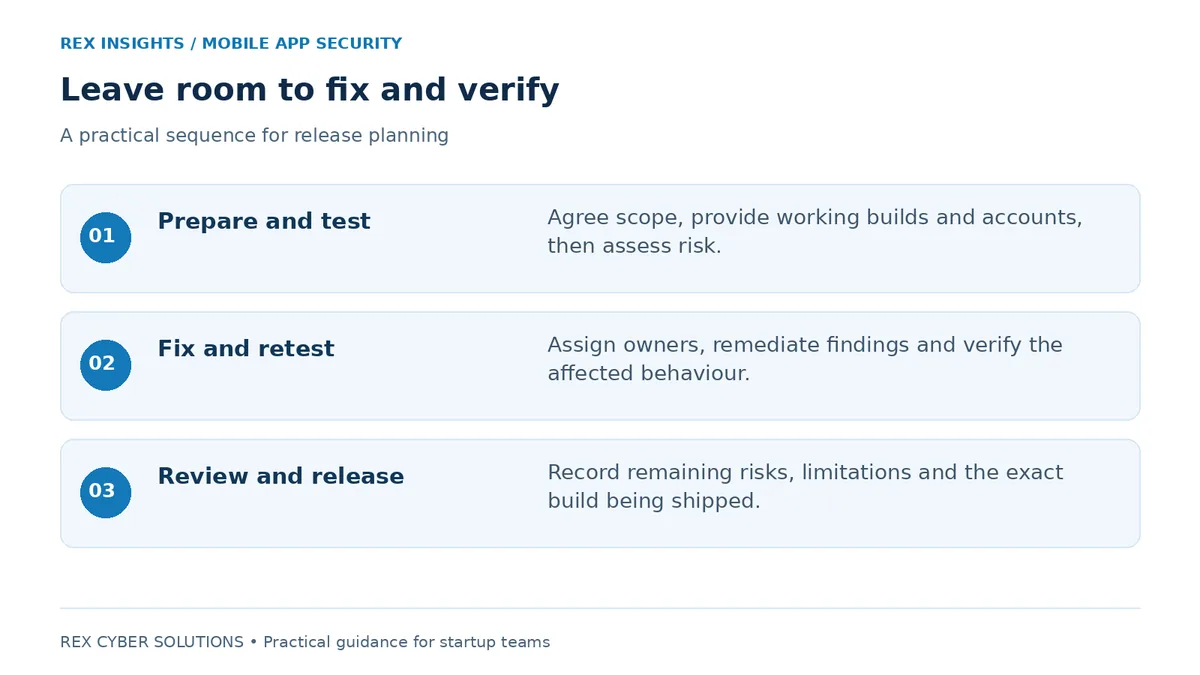
Testing, remediation and retesting are separate activities. Reserve engineering capacity for all three.
Use findings to make a release decision
Assign each finding to an owner and prioritise using the affected data, exploitability and business impact. After fixes, ask for retesting of the relevant behaviour and a clear closure status. Record remaining risks and who accepted them. If the app or backend changes materially after testing, discuss whether additional assessment is needed.
4. What a useful pentest report should contain
Ask to see a redacted sample report before commissioning the work. A useful report should let leadership understand the risk and let engineers reproduce and address the problem without repeatedly asking what the finding means.
1. Scope and limitations — tested builds, environments, dates, roles, APIs, exclusions and access constraints.
2. Executive summary — the most important risks and the business functions or data they affect.
3. Validated findings — affected components, evidence, prerequisites and reproducible details appropriate for your engineering team.
4. Severity and impact — a reasoned explanation of priority, with technical scoring where appropriate.
5. Remediation guidance — practical recommendations and a route for developers to clarify findings.
6. Retest results — which issues are fixed, partly fixed, unresolved or not retested, and on which build.
If an enterprise buyer requested the assessment, confirm its acceptance criteria early. It may specify report recency, scope, auditor qualifications or evidence of remediation. Agree what can be shared: a management summary may be appropriate for some reviewers, while a detailed report needs controlled distribution.
5. How to compare cost and choose a provider
There is no useful universal price for “a mobile pentest” without scope. Compare quotes against the same brief: Android and iOS coverage, API size and complexity, user roles, critical workflows, source access, testing depth and reporting requirements. Confirm the retest window, number of retest rounds and any additional charges.
Ask who will perform the assessment, how much manual investigation is planned and how findings are reviewed for accuracy. Request examples of relevant mobile experience and a redacted report. A good provider should explain both what the engagement can answer and what it will leave untested.
For Indian startups working with enterprise or regulated buyers, ask whether the buyer requires a CERT-In-empanelled auditing organisation. Where that requirement applies, verify the provider’s current status against CERT-In’s official list. Do not assume that a generic VAPT completion certificate satisfies a specific procurement condition.
Keep the mobile engagement connected to adjacent risks. If your app depends on a web administration portal, agree whether that portal is covered or needs a separate assessment.
For a supporting web portal, Explore Rex’s web application penetration testing services
6. Seven questions to answer before requesting a quote
1. Are we testing Android, iOS or both, and which builds will be available?
2. Which APIs, backend services and administration portals must be included?
3. Which user roles and business workflows carry the greatest risk?
4. Can we provide working accounts, test data and technical documentation?
5. What does the enterprise buyer expect to receive and accept?
6. Who will fix findings, and how much time is reserved for retesting?
7. What release date, report deadline and third-party constraints should the provider plan around?
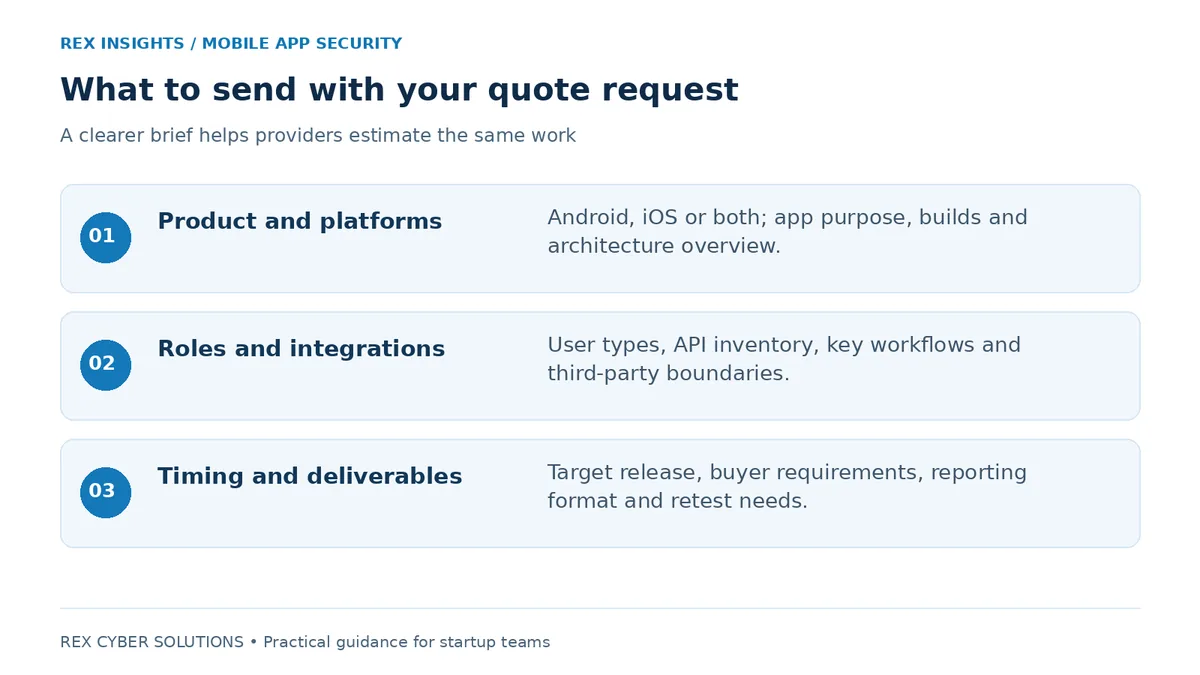
Send a short product brief with your enquiry. Share confidential builds and credentials only through an agreed secure channel.
Have these details ready? Discuss your app’s scope and request a pentesting quote
7. Frequently asked questions
Q1. Can we test only the Android app if iOS uses the same backend?
Answer: A shared backend may allow some API testing to be reused, but it does not establish that the iOS app behaves securely. Include platform-specific coverage for both apps when both are part of the release, and ask the provider to explain any shared work.
Q2. Is a mobile app pentest the same as a code review?
Answer: No. Runtime and behavioural testing examine what the application does; code review examines its implementation. They can complement each other. Confirm whether source review is included and how much code will be examined.
Q3. Will a VAPT report guarantee approval from our buyer?
Answer: No. The buyer decides whether the scope, findings and remediation evidence meet its requirements. Obtain those requirements before testing and avoid presenting a completion statement as proof that every risk has been removed.
Q4. How long will testing take?
Answer: The schedule depends on platforms, APIs, roles, workflows, access and testing depth. Ask for separate estimates for preparation, testing, reporting and retesting. Include your engineering team’s remediation time in the release plan.
Q5. Can our developers handle security testing internally?
Answer: Developers can perform security checks throughout development and fix problems early. An independent specialist assessment adds a different perspective and dedicated testing expertise. Use it alongside internal checks, particularly for sensitive workflows or buyer assurance needs.
Q6. Do we need a new pentest after every release?
Answer: Use the risk and extent of the changes to decide. Changes to authentication, permissions, payments, data handling or major integrations warrant closer review. Confirm any buyer-required testing cadence and avoid using an old report to describe substantially changed functionality.
8. Get a mobile app pentesting quote from Rex
A useful mobile penetration assessment gives you a clearer decision: what needs fixing, what has been verified and what remains outside the assessment. It should help your developers improve the product and give your buyer an accurate view of the work completed.
Rex Cyber Solutions offers mobile application penetration testing covering areas such as runtime behaviour, binary analysis, APIs and business logic. Its service includes technical reporting, prioritised remediation guidance, retesting and an engineering briefing. Confirm the exact scope and retest terms in your proposal.
Share your platforms, key workflows, backend scope and target release date. Use the discussion to identify the testing you need, understand the deliverables and get a quote matched to your app.
Request a mobile app pentesting quote from Rex
Review the service: View Rex’s mobile application penetration testing service

%20(1).png)
.png)

.png)